
35+ Exclusive Tools, Plus PowerPoint's Best — All in One Ribbon
Six categories of tools, organised around how you actually work — from first draft to final delivery.
Feature Categories
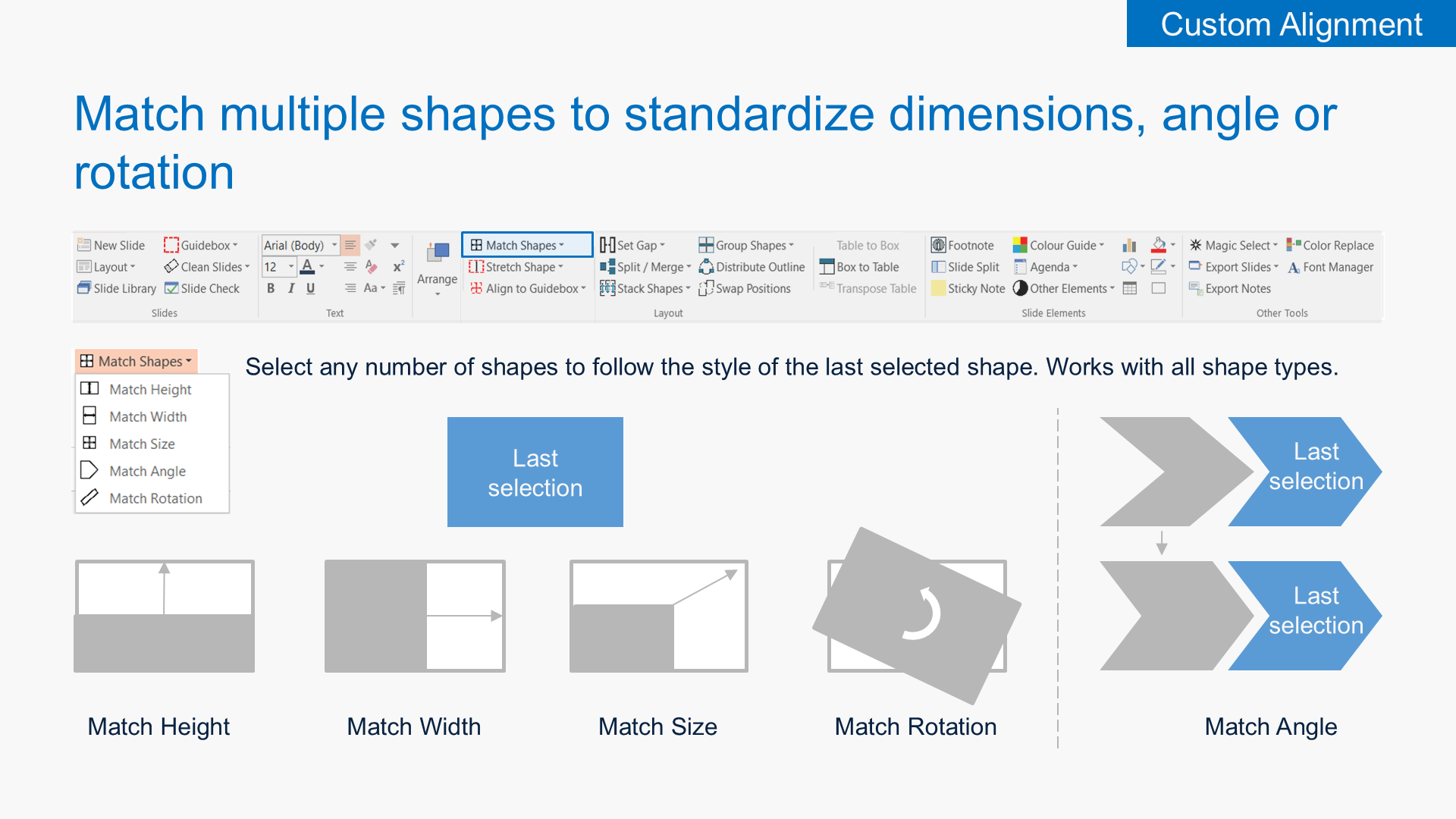
Custom Alignment
Insert a guidebox with adjustable margins, stretch and align shapes to those margins, match size/rotation/angle across selections, distribute objects with defined gaps, group by rows or columns, and magic-select by shape, fill, or font.
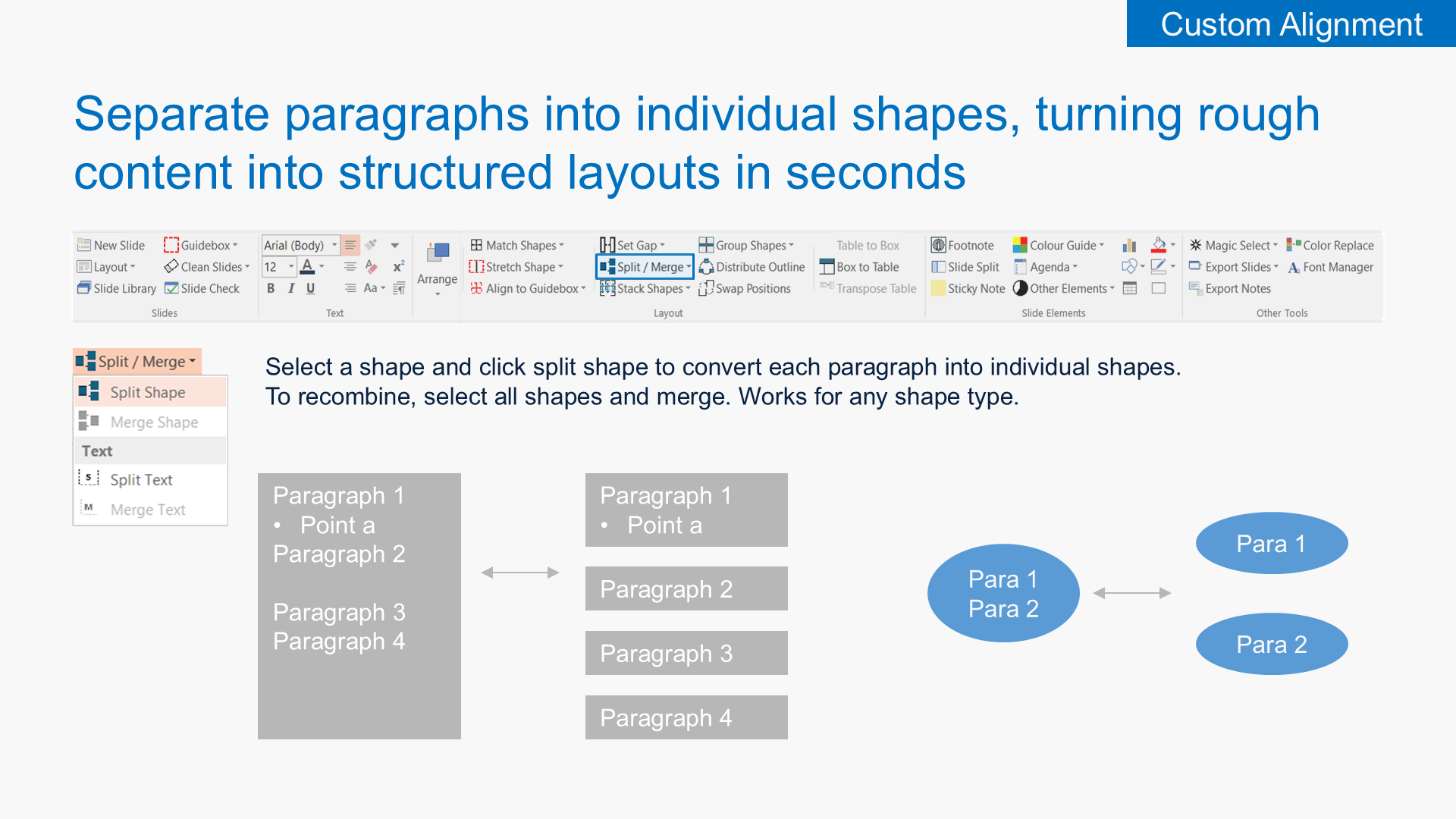
Split & Merge Paragraphs
Turn a wall of text into a structured layout in seconds. Split a shape so each paragraph becomes its own object, then merge them back when you need a single block again. Works with any shape type.
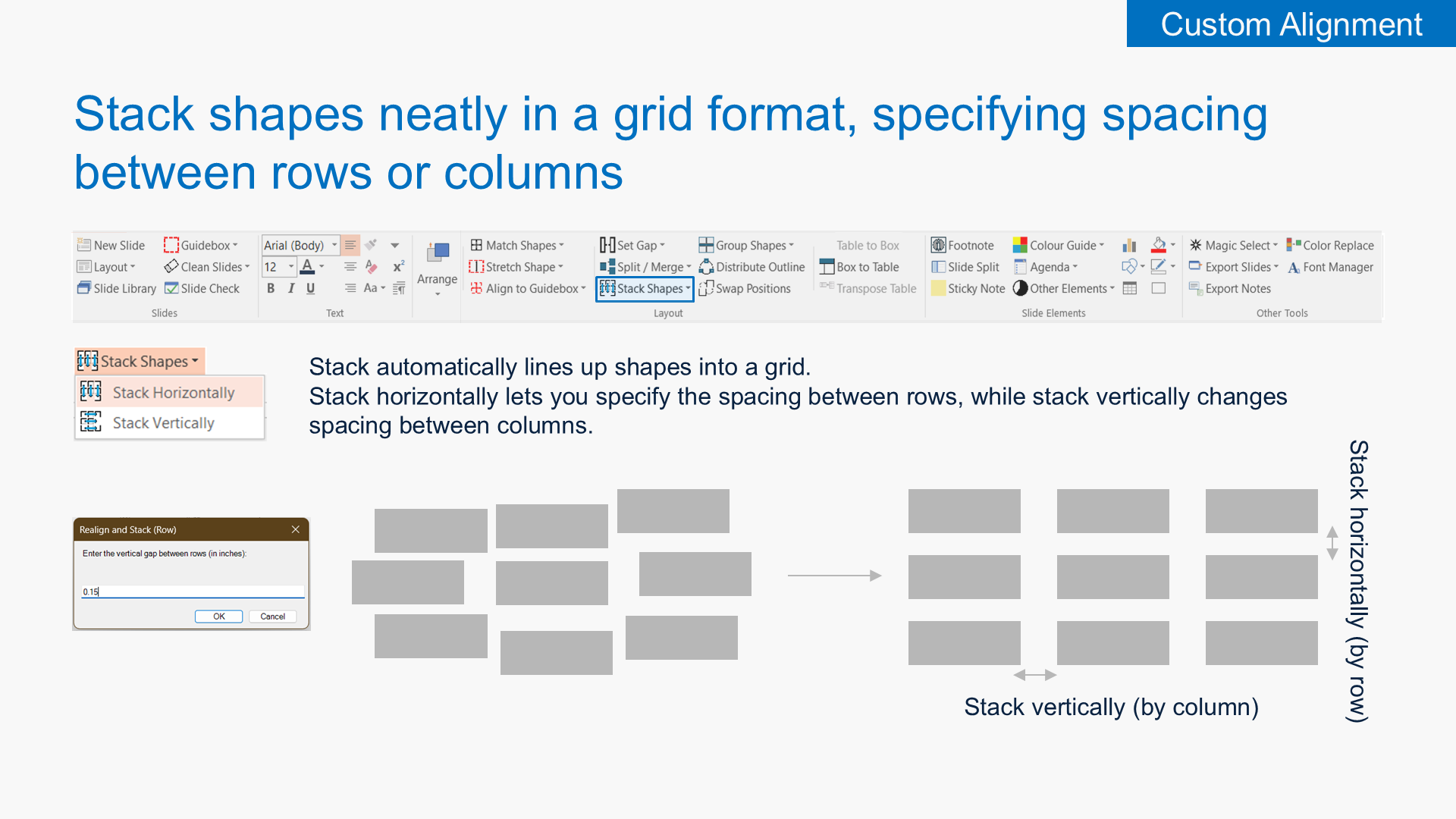
Stack Shapes in a Grid
Snap any selection of shapes into a clean grid. Stack horizontally to set the spacing between rows, or stack vertically to control the gap between columns — instant, even layouts.
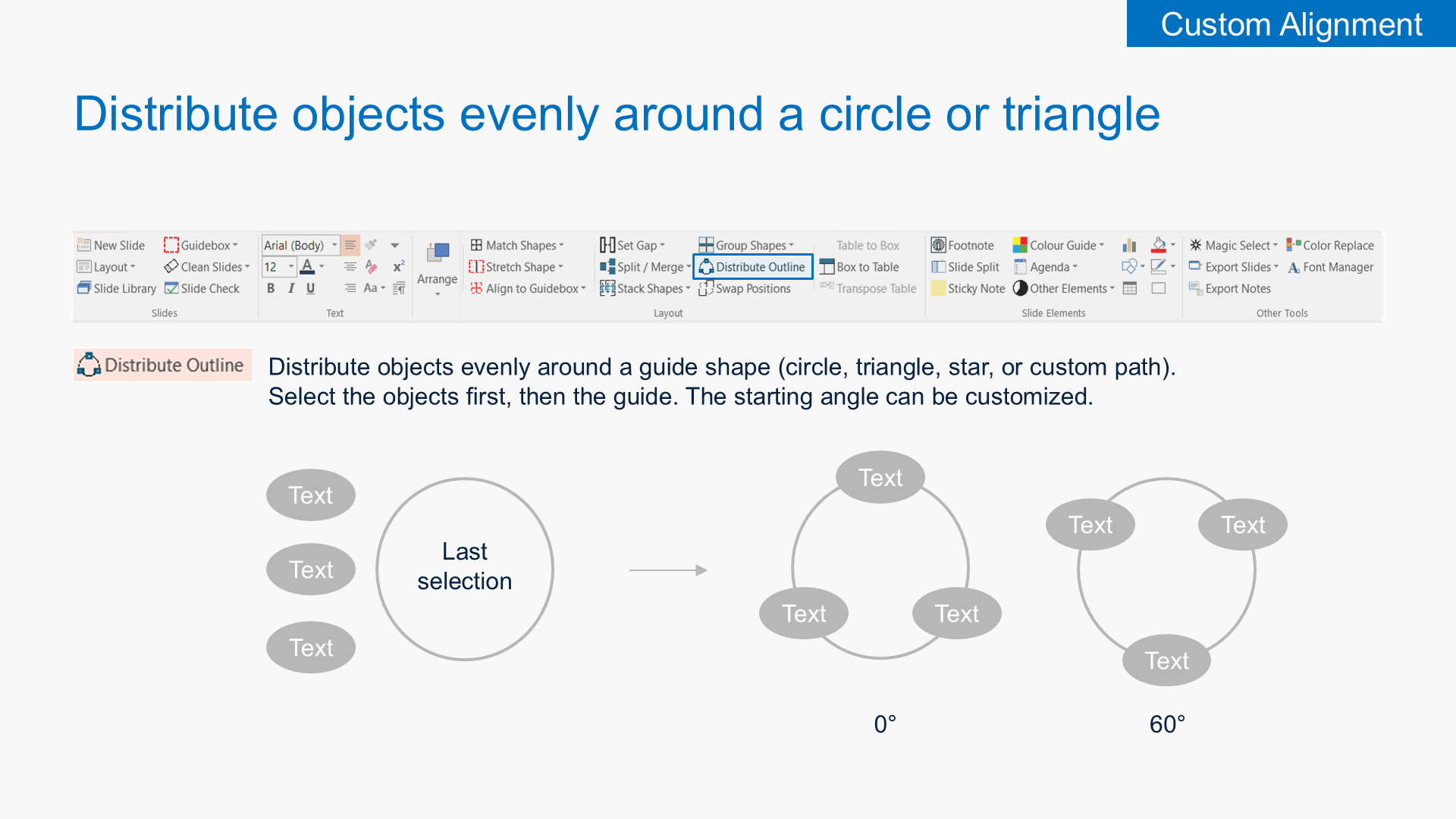
Distribute Around a Shape
Distribute objects evenly around a guide shape — circle, triangle, star, or any custom path — with a customisable starting angle. Build radial diagrams without manually positioning anything.
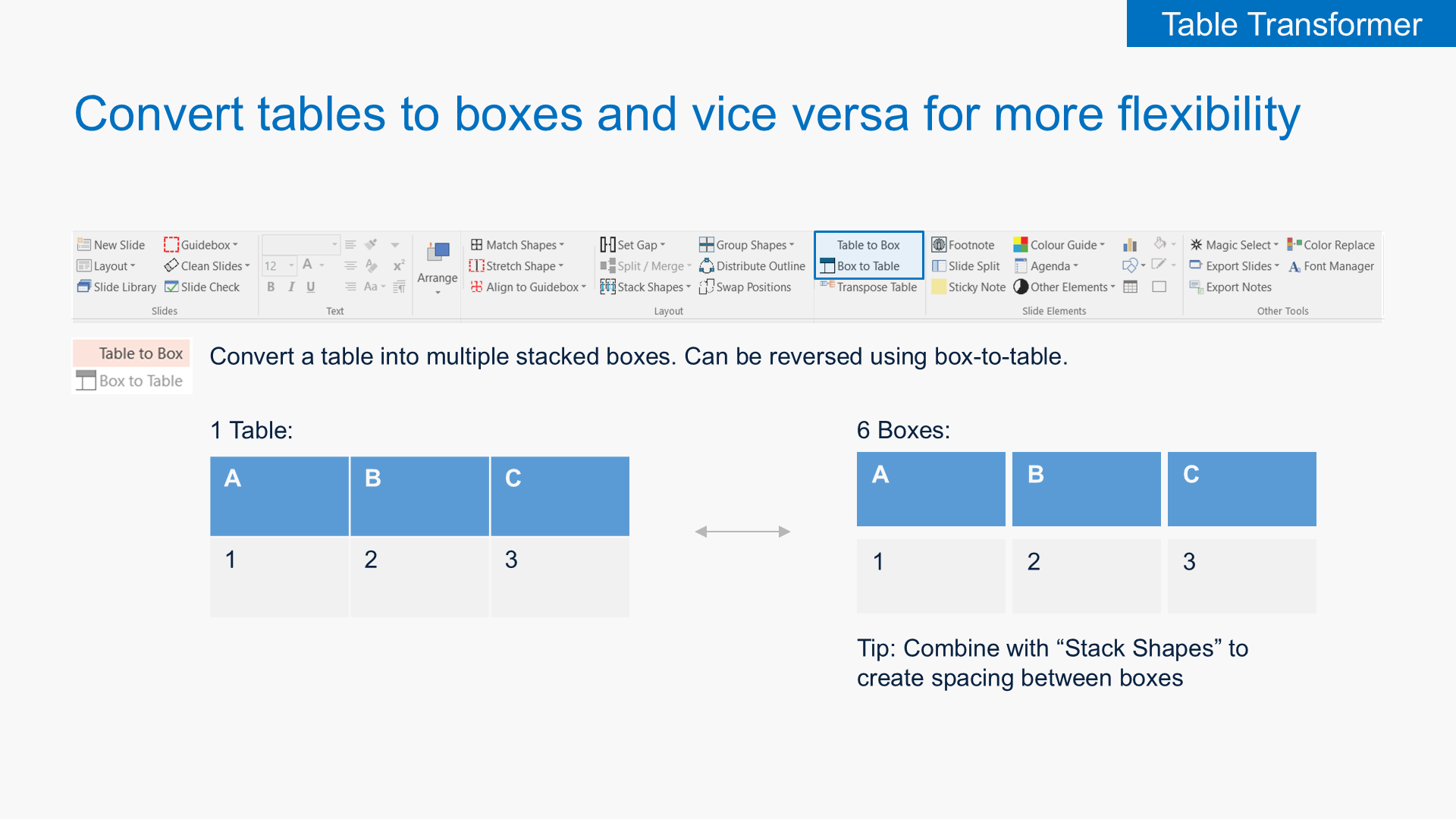
Table Transformer
Convert tables into individual stacked boxes (and back) for flexible editing without rebuilding the structure.
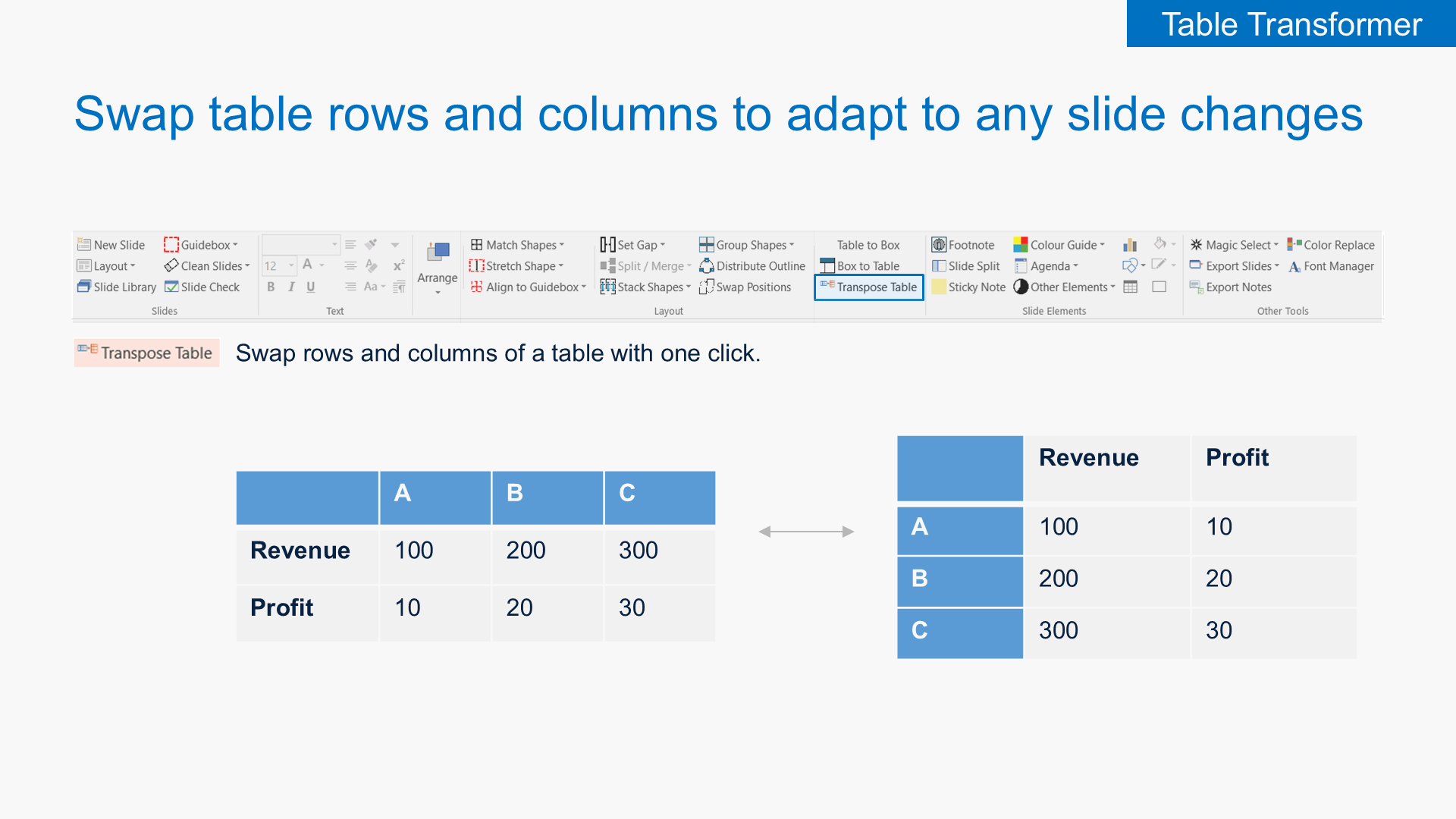
Transpose Tables
Swap rows and columns of a table with one click. Reshape data to fit your slide narrative without rebuilding the table from scratch.
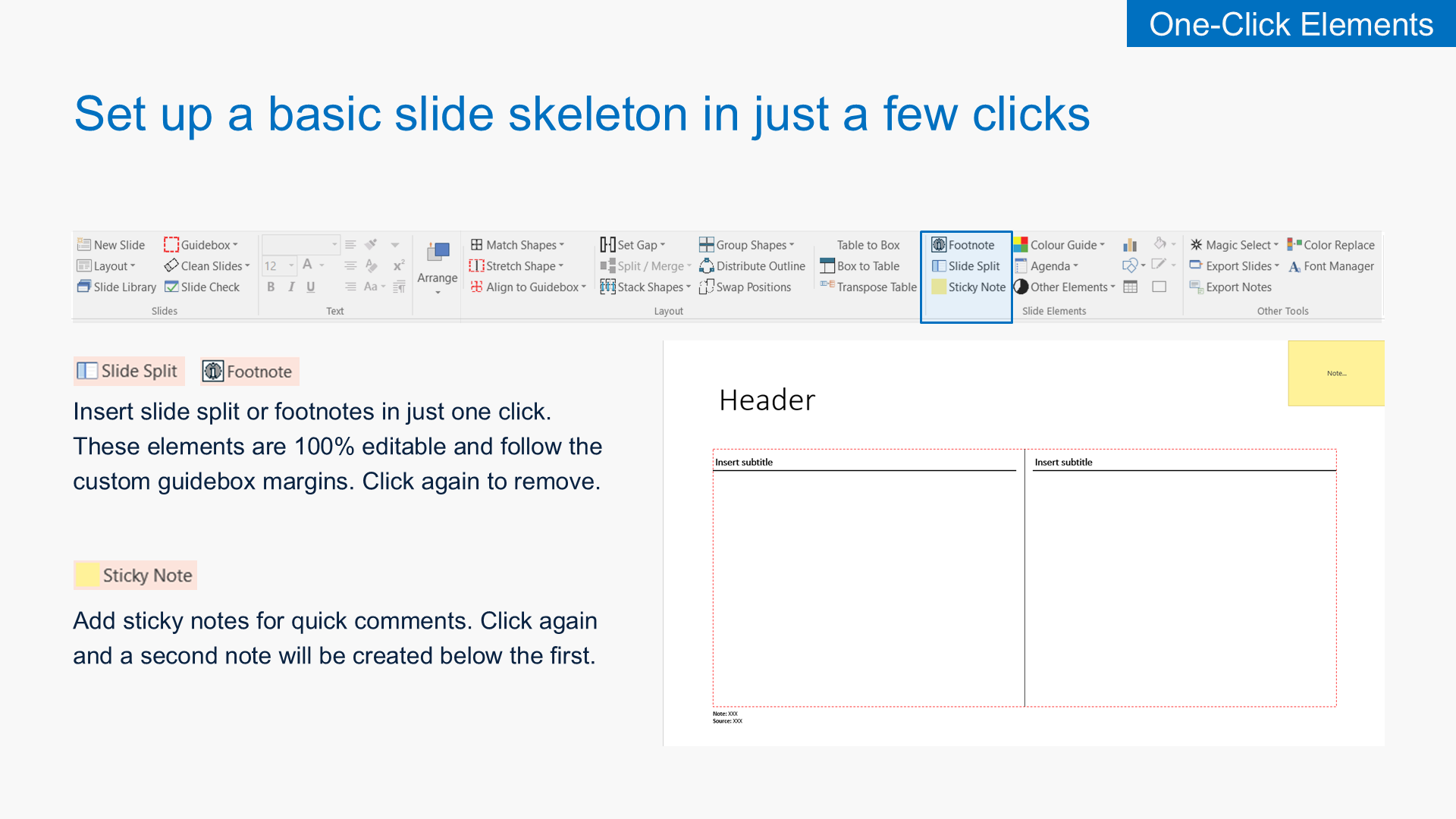
One-Click Elements
Drop slide splits, footnotes, sticky notes, agendas with section links, editable harvey balls with exact percentages, and slide stamps (WIP, Confidential, Preliminary…) onto any slide instantly.
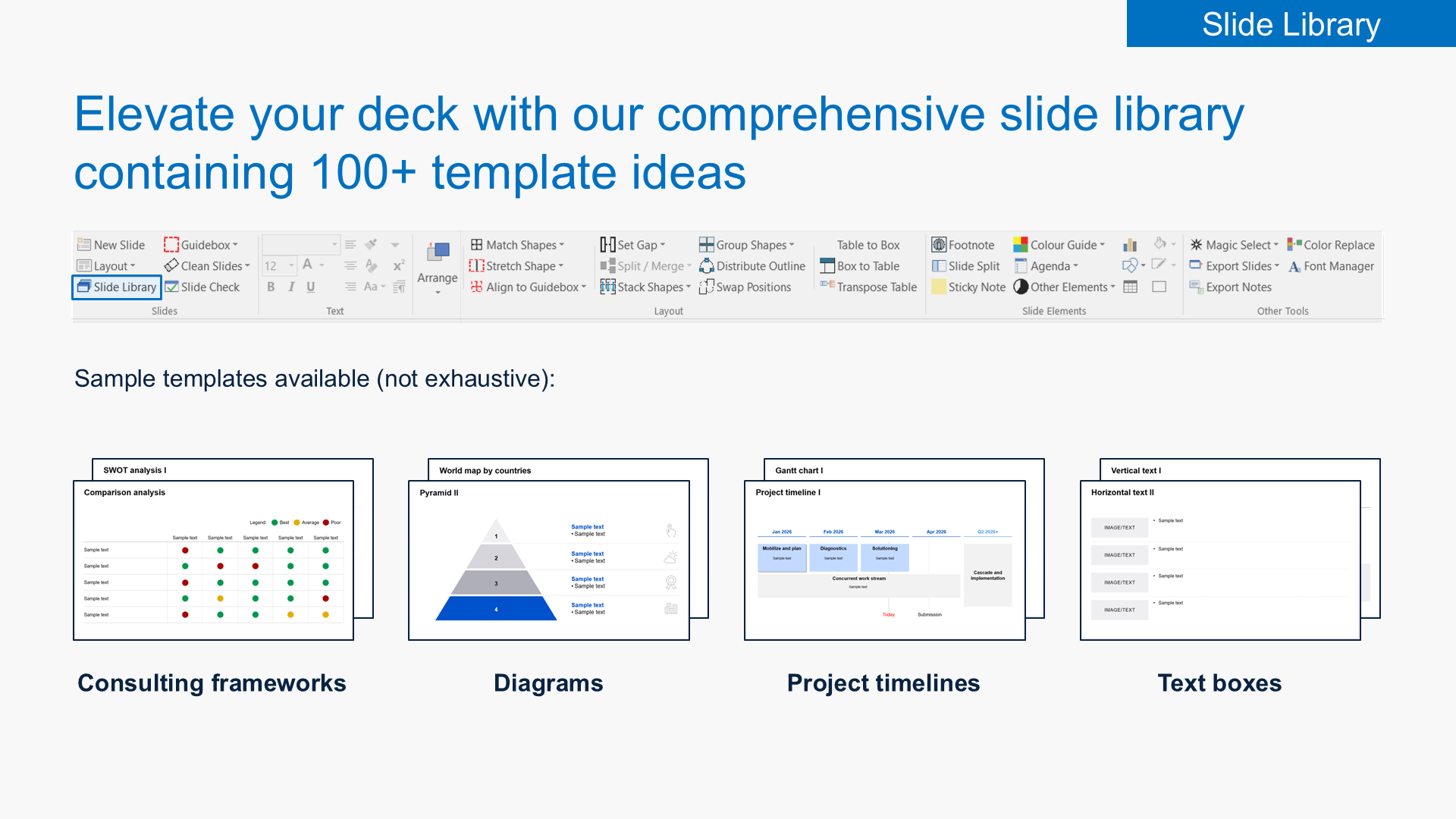
Slide Library
Browse 100+ ready-made template slides — consulting frameworks, diagrams, project timelines, agendas, schedules, text layouts — and insert them directly into your deck.
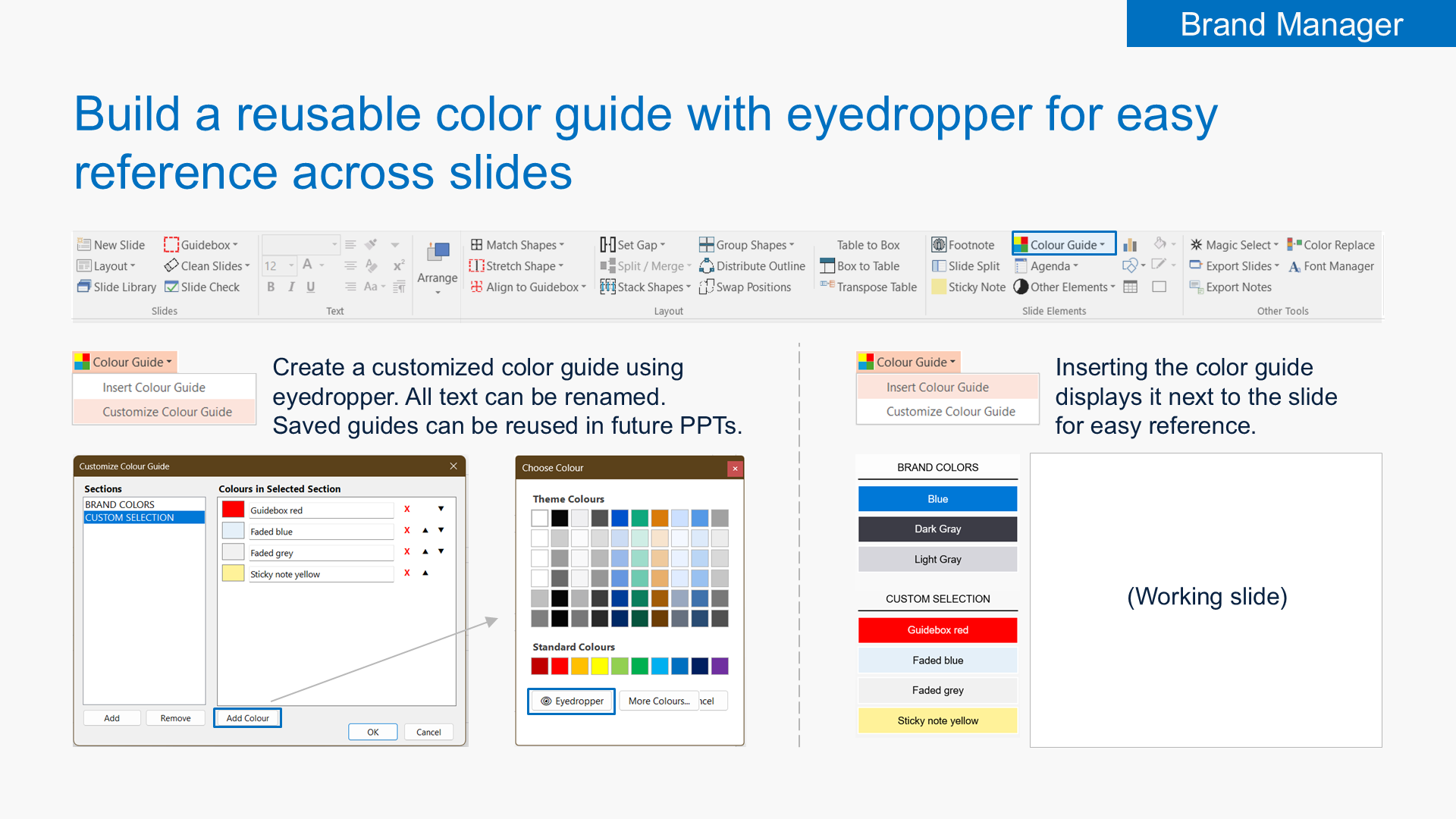
Brand Manager
Build a reusable color guide using the eyedropper. Audit and replace off-brand colors and fonts across the entire deck in seconds.
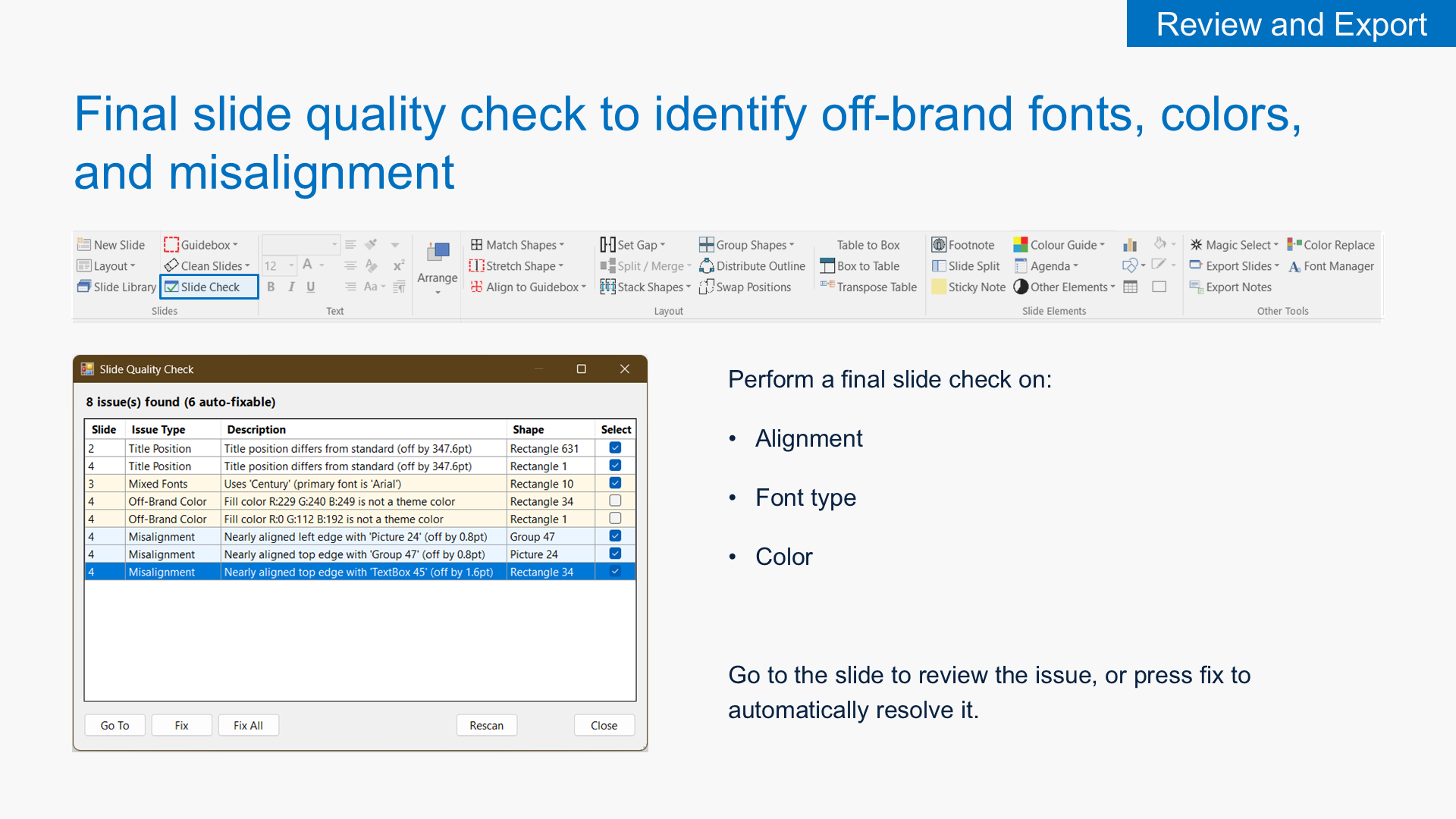
Review & Export
Run a final slide check for off-brand fonts, colors and misalignment. Clean comments, speaker notes and metadata before sharing. Export selected slides as PDF or PPT, or export all speaker notes to Word.
Complete Feature List
Every tool included in all paid plans.
Custom Alignment
- Insert Guidebox (with custom margins)
- Align to Guidebox (top, bottom, left, right)
- Stretch Vertically / Horizontally
- Match Height / Width / Size / Angle / Rotation
- Distribute Vertical / Horizontal Gap
- Set Vertical / Horizontal Gap (fixed)
- Stack Horizontally / Vertically
- Group by Rows / Columns
- Distribute Outline (around circle, triangle, custom)
- Swap Positions
- Magic Select (by shape, fill, font)
- Split / Merge Shape and Text
Table Transformer
- Table to Box conversion
- Box to Table conversion
- Transpose Table (swap rows & columns)
One-Click Elements
- Slide Split (auto-aligned to guidebox)
- Footnote / Source textbox
- Sticky Notes
- Agenda Builder (insert, sync content, sync position)
- Harvey Balls (with exact percentages)
- Harvey Ball Legend
- Slide Stamps (WIP, Preliminary, Pending Validation, For Discussion, Indicative, Illustrative, Confidential, Priority Slide)
Slide Library
- 100+ template slides
- Consulting frameworks (SWOT, Porter's, Product-Market matrix…)
- Diagrams (funnels, maps, pyramids, Venns)
- Project timelines and Gantt charts
- Agendas and schedules
- Text and image layouts
Brand Manager
- Custom Color Guide (eyedropper-based, reusable across decks)
- Insert Color Guide next to working slide
- Color audit and replace (find all off-brand colors)
- Font audit and replace (scan and swap across the deck)
Review & Export
- Slide Quality Check (alignment, font type, color)
- Auto-fix detected issues
- Clean comments, shape effects, speaker notes
- Clear shapes outside slide, sticky notes
- Clear document metadata, unused masters
- Compress pictures
- Clear all animations and transitions
- Export selected slides as PDF / PPT
- Send selected slides by email
- Export speaker notes to Word
Essentials Made Accessible
- New Slide / Layout
- Text styles (bold, italic, underline)
- Superscript on/off
- Paragraph indent and spacing
- Basic arrange tools
- Insert charts, shapes, tables
- Fill and outline color